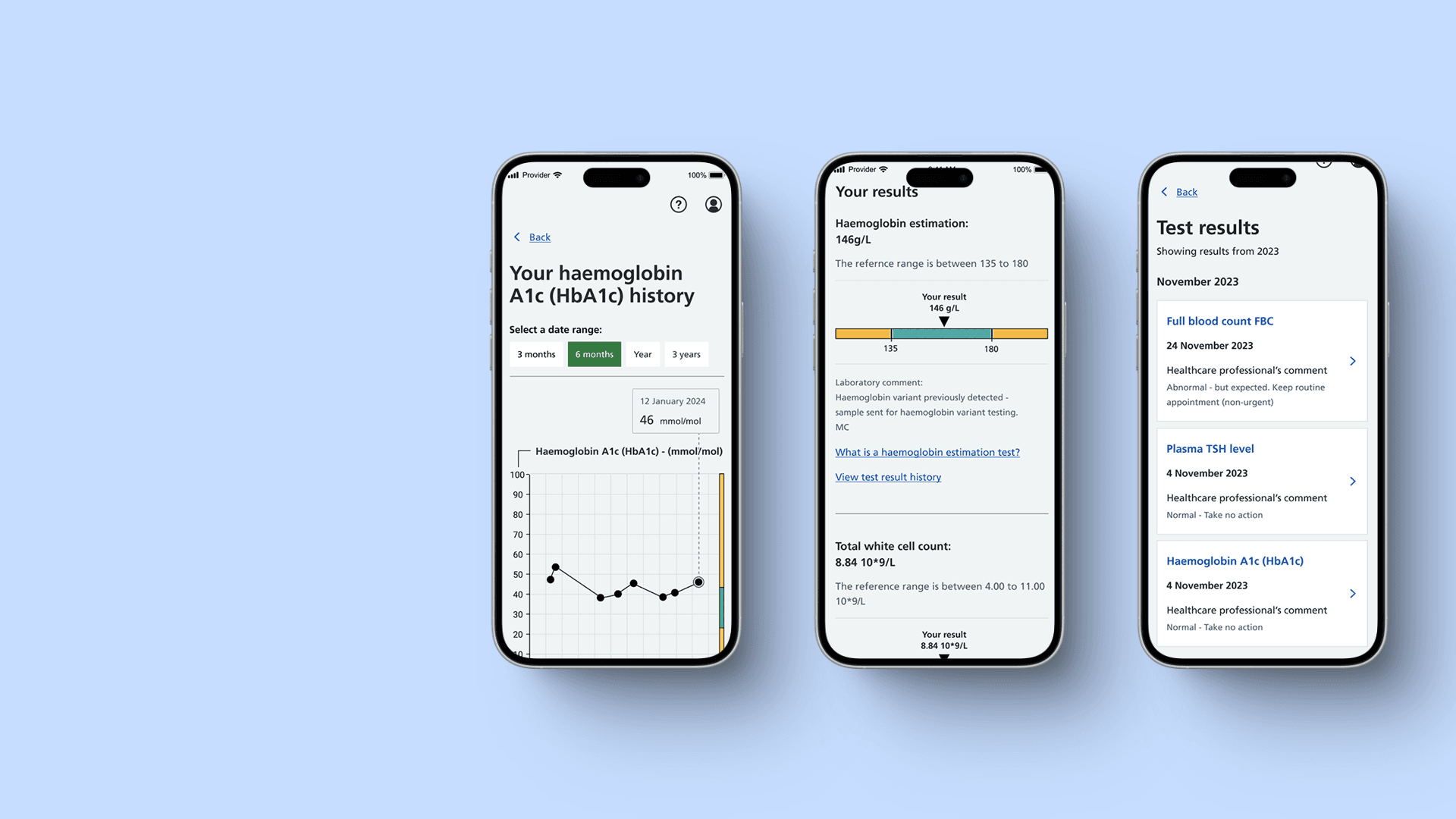
Background
The NHS App's test results feature was presenting raw clinical data to millions of patients with no plain-English context, no guidance on next steps, and an interface that failed basic accessibility standards. This caused anxiety, confusion, and avoidable calls to GP surgeries.
Challenge
Redesign the test results experience to be emotionally appropriate, clinically accurate, and accessible to every user, while navigating complex stakeholder sign-off across NHS Digital, clinical teams, and policy.
Impact
83% of users were clear on what to do next
after viewing their test result
77% said nothing needed improving
after the redesign launched
83% positive or very positive experience
measured via in-app Qualtrics survey
Only 3% reported a negative experience
or very negative experience
Validated through multiple rounds of user testing
with patients and clinicians across diverse needs
My role
Senior Interaction Designer - UX research, accessibility, end-to-end design, developer handoff
Team
Cross-functional - clinical content writers, engineers, and the NHS Digital product team
Company
NHS Digital via BJSS
Timeline
December 2022 – April 2024
Platform
iOS & Android - NHS App
The Problem
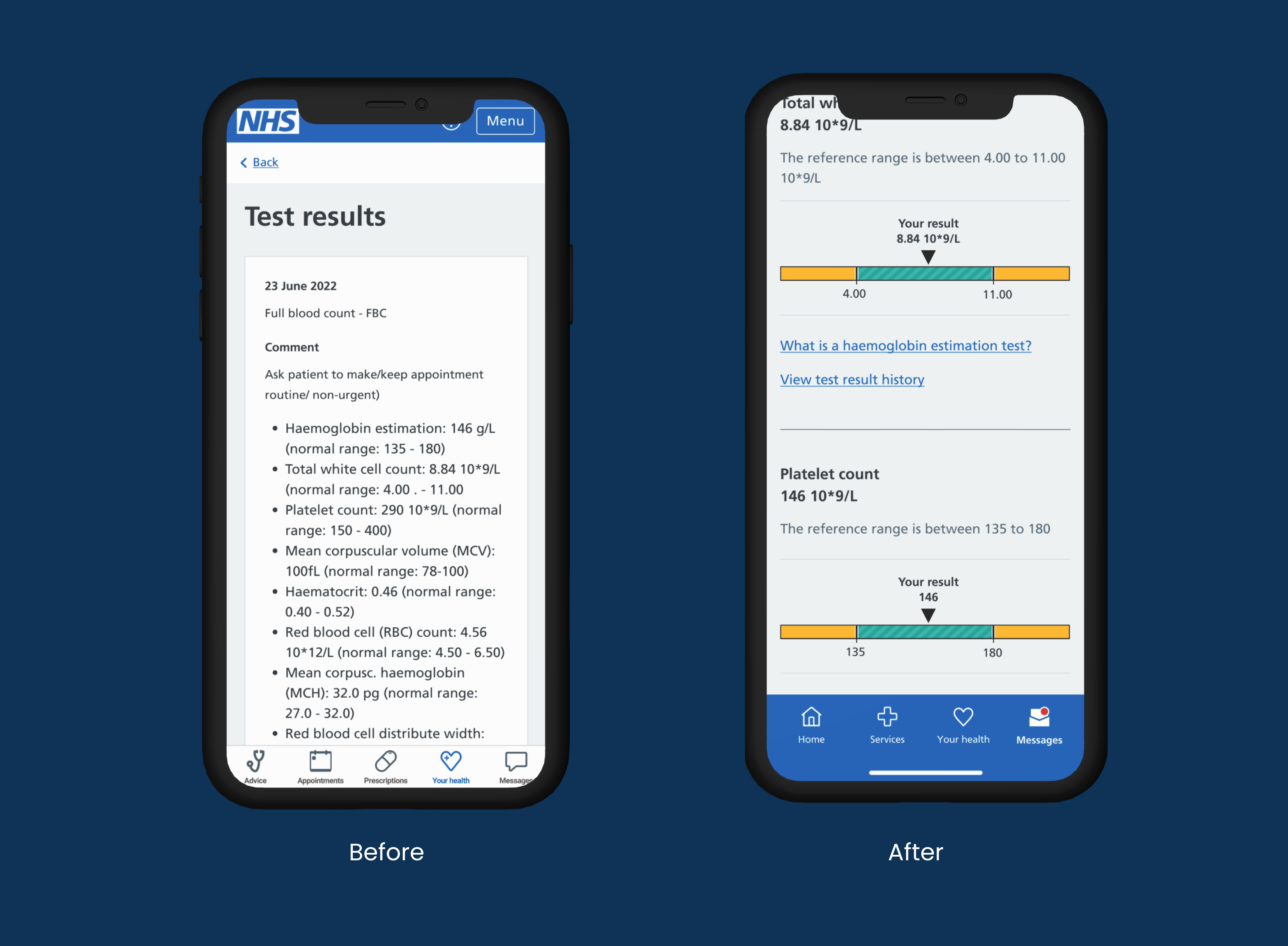
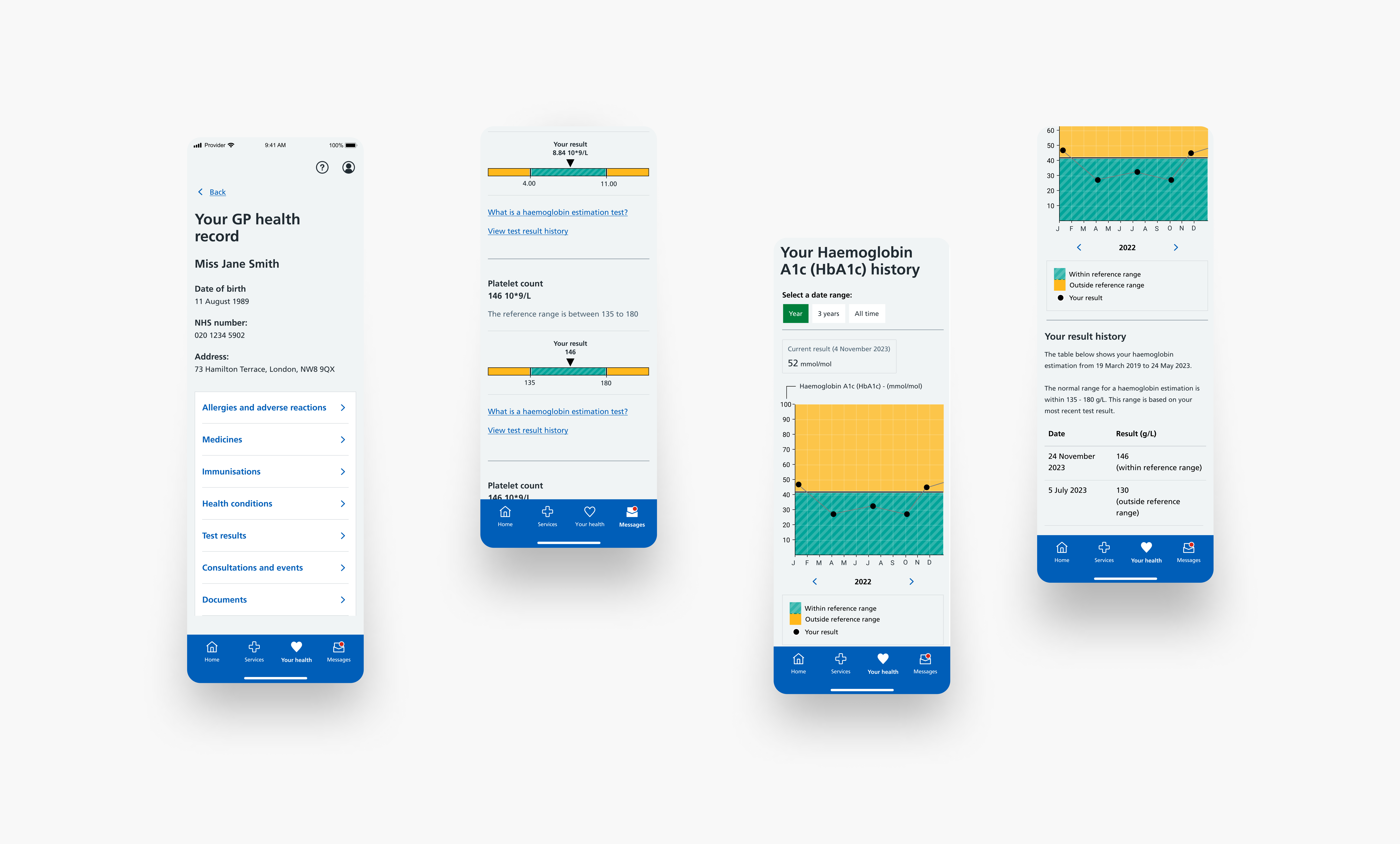
Millions of NHS App users were receiving blood test results as raw clinical data with no explanation of what the numbers meant, no indication of whether an abnormal result needed urgent attention, and no guidance on what to do next. Colour alone was used to signal severity, which failed WCAG AA and excluded colour-blind users entirely. Emotionally sensitive health information was presented in the same visual language as appointment booking. Clinicians were fielding avoidable calls from patients who had misread or misunderstood their results and didn't know whether to be worried.
My Role
I led the end-to-end redesign of the test results experience. This was not a brief handed to me. I identified the accessibility and usability failures, made the case for a full redesign to stakeholders, and owned the design from first principles through to developer handoff.
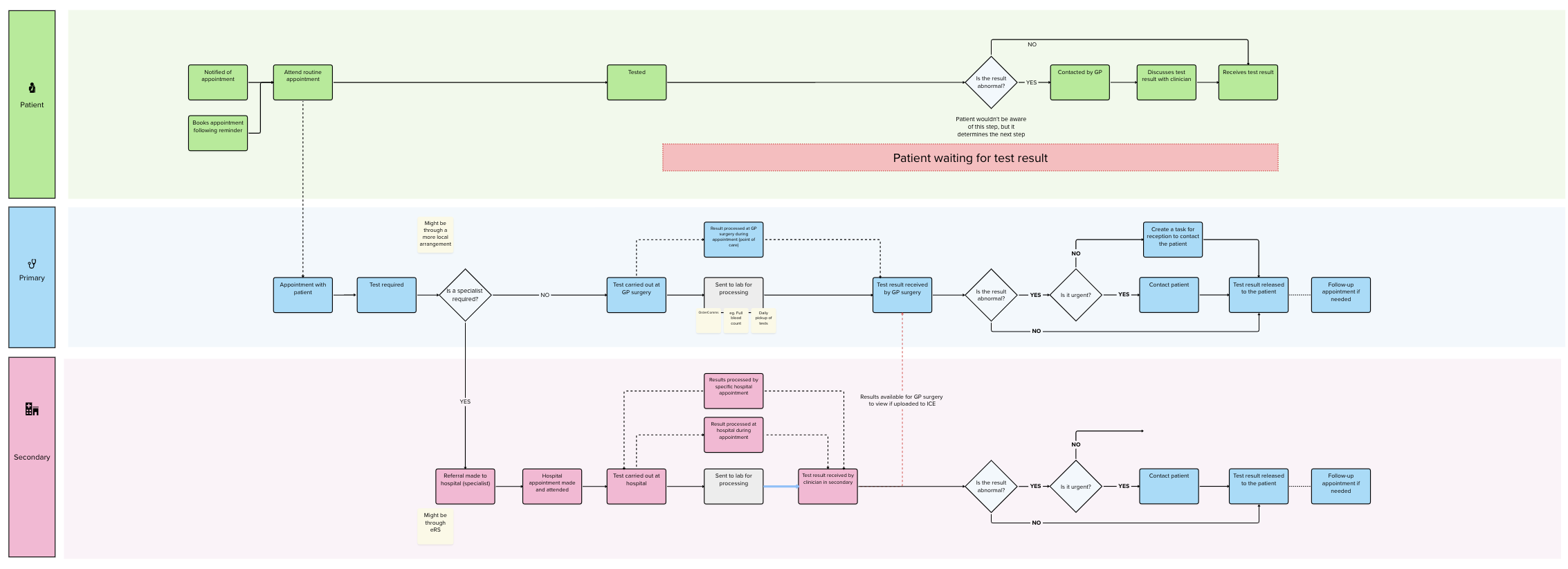
What I owned: research strategy and user testing with patients and clinicians, accessibility audit of the existing experience against WCAG 2.2, journey mapping across patient and clinician touchpoints, information architecture for clinical data presented to non-clinical users, high-fidelity design and interactive prototypes, cross-functional collaboration with clinical content writers, engineers, and NHS policy stakeholders, and full developer handoff documentation with accessibility specifications.
What I did not own: clinical content, which was owned by NHS clinical writers, and engineering delivery.
The Approach
Accessibility first, not as a retrofit. The existing colour system failed WCAG AA for colour-blind users. Rather than patching it, I rebuilt the severity signalling from scratch using shape, icon, and text alongside colour so the interface worked for every user regardless of colour vision.
Plain English as a design constraint. Before a single screen was designed, I defined a requirement that every result had to be understandable to a user with no medical background in under 30 seconds. This constrained the information architecture and forced a fundamental rethink of how clinical data was structured and sequenced.
Designed for the most anxious user. Rather than designing for the average user, I defined our primary lens as someone who is anxious, health-literate but not clinically trained, and accessing results on mobile. Every decision was tested against this.
Emotional register matters in health design. Test results carry real anxiety. I pushed for a visual language that felt calm and reassuring rather than clinical and transactional, using evidence from user testing to navigate stakeholder debates about the direction.
The Outcome
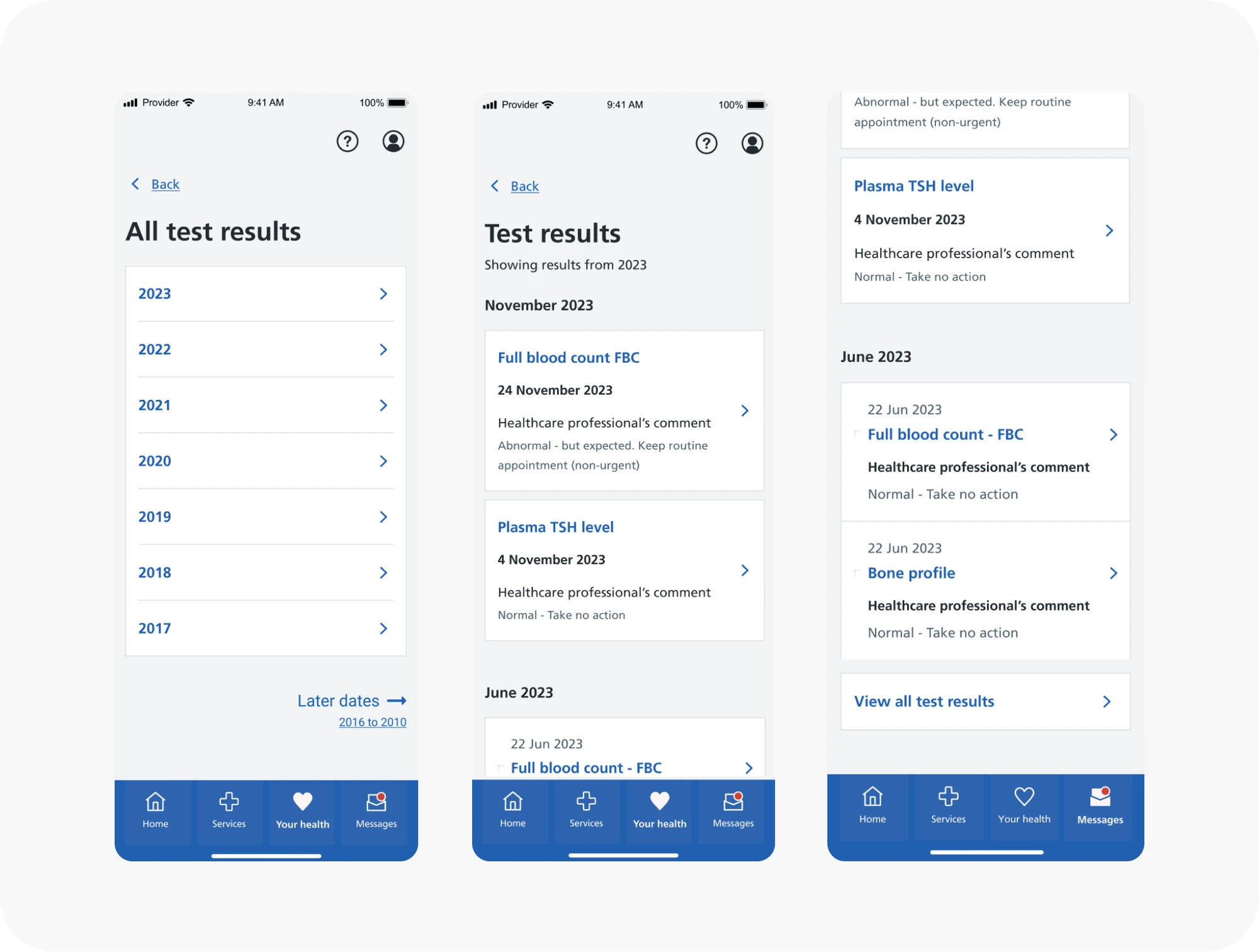
83% of users were clear on what to do next after viewing their result. 77% said nothing needed improving. Only 3% reported a negative experience. The redesign gave NHS App users plain-English test results with contextual guidance on next steps for the first time, accessible to every user regardless of colour vision or clinical background, and validated through multiple rounds of testing with real patients and clinicians.
What I'd Do Differently
Earlier clinician involvement. I brought clinicians in at the validation stage. In retrospect, having a clinical advisor in the room during the definition phase would have saved two rounds of content revision and sharpened the information architecture decisions earlier.
Quantified downstream impact. I should have pushed harder to instrument what happened after launch, specifically whether avoidable GP contact actually fell and by how much. The Qualtrics data is strong but a before and after on GP call volumes would have made the business case for this kind of work undeniable.
Want to know more about this project?
Learn more